I used to build VMs by hand. Click through the wizard, guess an IP, forget which VLAN it went on, and a month later nobody remembers why vm-1042 exists.
This post is the replacement: OpenTofu + Terragrunt cloning from a golden template on vSphere, driven by a least-privilege SSO user. Everything here survived a real production estate, including the parts that cost me actual debugging time: the permission model in vCenter is full of silent traps, and I’ll point at every one of them.
Short on time? Jump to the pitfalls table — sixteen failures, each one broke a real apply. Reading time for the full walkthrough: about 10 minutes.
What you’ll end up with:
- A toolchain managed by mise, one file, reproducible everywhere.
- A dedicated
terraform@vsphere.localuser with two custom roles, verified by negative tests. - A golden template that clones cleanly without a force-replace surprise.
- A Terragrunt stack where every apply is gated by a reviewed plan.
Preparation: the toolchain with mise
mise installs and pins every tool this workflow touches. One mise.toml at the repo root:
Note the key is opentofu, not terraform: OpenTofu is what Terragrunt execs, and nothing in this workflow invokes tofu directly. (Provider error messages sometimes still say Terraform; the ecosystem kept the vocabulary.)
Then:
Why mise over hand-installed binaries: versions live in git, contributors and CI get identical tooling, and the session never depends on what’s lying around in /usr/local/bin.
The tg command isn’t an inline task, though. Mise inline tasks (run = "...") can’t forward raw arguments ($@), and tg needs to exec terragrunt with whatever follows --. So it’s a small bash file at .mise/tasks/tg, abbreviated:
| |
Every OpenTofu run goes through that one wrapper — exactly one path to the credentials. It decrypts terraform/vsphere.sops.env (SOPS + age, key stays on your machine), exports only the VSPHERE_* lines, and execs terragrunt. Plaintext never lands on disk, and the secret’s scope is the process: it ends when the command ends. (For govc side-work like discovery and imports, reuse the same decrypted values: same file, same keys, GOVC_URL="$VSPHERE_SERVER" and so on.)
The plaintext is encrypted in place to terraform/vsphere.sops.env. The age recipient and key live only on the operator’s machine, and terraform/vsphere.sops.env is the only file that gets committed.
The cd "$MISE_ORIGINAL_CWD" line matters more than it looks: Terragrunt discovers configs by walking up from your working directory, so running from the wrong place queues every unit in the repo. Stay in the env directory, or scope with --queue-include-dir when you deliberately don’t want to.
Why a separate user, and why two roles
This is the part people skip, and it’s the part that saves you at 3am.
Why a separate user at all?
OpenTofu runs unattended and holds credentials in a file. If it gets your admin password, it can delete your host networking, reconfigure the hypervisor, and delete every permission in the estate. If it gets terraform@vsphere.local, the blast radius is “some VMs in one datacenter”.
It’s also audit. When vCenter shows a change, the identity tells you whether a human did it or a pipeline did. Mixing them means you can never answer that.
Why roles instead of ad-hoc permission grants?
vCenter permissions are (principal, object, role) triples. Managing raw privileges per grant is unmaintainable, so privileges live in named roles and roles attach at scopes. I run exactly two:
| Role | Scope | Propagated | Covers |
|---|---|---|---|
terraform-vm | /Datacenter | yes | VM lifecycle: clone, disks, NICs, power, guest ops, tag attach |
terraform-root | / (root) | no | Tag/category definition CRUD + storage-policy read |
Two hard rules, both learned the expensive way:
Rule 1: a principal holds one role per object. vCenter allows exactly one role assignment per (principal, object) pair. Assign a second role at the same scope and vCenter silently replaces the first — no error, no warning.
This reproduced in my estate: two root-scoped roles set back-to-back, the second dropped the first’s grant, and every VM apply 403’d on tag attach. Two roles that need the same scope belong in one role.
Rule 2: never propagate from root. Every custom role silently carries System.Anonymous/Read/View. Assign any role at / with propagate=true and the whole inventory becomes readable to that principal. The root role stays unpropagated, always.
Why the split between “attach” and “define” tags?
Tag categories and definitions are global-service objects with no inventory path, so managing them is checked at vCenter root regardless of what you tag later. But attaching a tag to a VM is a mutation of that VM, authorized against the VM’s own permission tree. Hence the split: AttachTag in the datacenter role, category CRUD at root.
Get this wrong and you get the strangest failure of the lot: you can create every tag in the catalog but can’t attach any of them to anything.
Creating the user and roles
Use an administrator session for this whole section (rule 2 doesn’t apply to you yet, you’re building the thing). govc session per shell:
Create the SSO user:
| |
Write the privilege lists as files. Main role, tf-main.privs, VM lifecycle plus tag attach:
| |
Root role, tf-root.privs, tag/category definition CRUD plus storage-policy read. Note AttachTag is deliberately not here:
Three gotchas, all real:
Don’t write privilege IDs from memory. One wrong ID rejects the whole batch with an opaque
A specified parameter was not correct: privIds. TheAdminrole holds every valid ID, diff against it:1govc role.ls Admin | grep '^VirtualMachine\.Config\.' # note: Admin, NOT AdministratorThe UI shows the display name; govc wants the internal one.
govc role.ls Administratorreturns “not found”.govc role.createhas no-fileflag. Privileges are plain arguments. Pass the file contents:role.updatewithout-areplaces the entire privilege set. Appending later is:1govc role.update -a terraform-vm <Privilege.Id>
Assign at the right scopes:
| |
Testing the permission model
A permission grant you haven’t tested is a 403 you haven’t discovered yet. Three layers:
Layer 1: the rules exist (as admin):
Layer 2: positive tests (as the new user):
Layer 3: negative tests (the most valuable layer). Mutations outside the grant must fail:
The self-escalation check matters most. If it ever succeeds, your authorization model isn’t just generous; it’s broken.
One trap: govc role.ls succeeds as the low-privilege user, because listing roles only requires System.View, a system privilege vCenter attaches to every user-defined role automatically. It looks like a leak in your test output; it isn’t, and it’s not a useful negative test. Skip it.
Also worth knowing: StorageProfile.View on the datacenter alone isn’t enough. The storage-policy service (PBM) authorizes its own calls, the queryAssociatedProfile you’ll hit on tofu import, against vCenter root, not the object being queried. That’s why StorageProfile.View appears in both roles. Symptom if you missed it:
Error: ServerFaultCode: NoPermission: RESOURCE (vm-NN), ACTION (queryAssociatedProfile)
The golden template
OpenTofu can’t install an OS. The first image gets built by hand once: one AlmaLinux VM, generalized, converted to a template. Everything else clones from it.
Budget 90 minutes, most of it installer wait time. But this is also the step that can quietly cost you an afternoon, so know the trap first.
Six fields decide everything. Get any of these wrong and the first plan on a clone reports must be replaced; OpenTofu intends to destroy the VM it just built and make a new one. No warning, no prompt.
| Fields | What happens if wrong |
|---|---|
| firmware (EFI), secure boot, disk thin/thick | First plan force-replaces the VM |
guest_id, scsi_type | Read from the template, not settable per VM, wrong on every clone forever |
| disk size | A floor: the clone cannot shrink a disk. Keep the template small (40 GB), let clones grow |
The build in brief:
- VM name
tmpl-almalinux10-base, in atemplatesfolder. - EFI firmware with Secure Boot enabled. Both live under VM Options → Boot Options, not on the wizard’s summary page, which is how people click past them.
- 40 GB thin-provisioned disk (not the default on every vCenter build), VMware Paravirtual SCSI, VMXNET 3 NIC.
- Enable CPU and memory hot-add now (a powered-on VM can’t enable them later).
- Guest OS: RHEL 9 64-bit (vCenter 7 has no RHEL 10 entry; only VMware Tools’ expectations matter).
- Remove the CD/DVD drive before converting to template (a template can’t be reconfigured, and a leftover drive is a diff on every plan forever). Remove the device, not just the media.
Why cloud-init, not vSphere guest customization?
vSphere’s customize {} is a perl script via VMware Tools that sets hostname/IP/gateway and nothing else. cloud-init reads the same identity from guestinfo but also creates the admin user and installs the SSH key. Credentials stay in code, so rotating a key means a config change, not a template rebuild. Concretely, the unit passes three base64-encoded YAML payloads in the VM’s extra_config:
| Payload | Contains |
|---|---|
guestinfo.metadata | instance-id, hostname, network config |
guestinfo.userdata | admin user + SSH key (the stack’s user_data) |
guestinfo.vendordata | disk-grow housekeeping the unit owns |
Inside the guest after install:
| |
Two quiet killers here: without open-vm-tools, cloud-init can’t read guestinfo at all; without cloud-utils-growpart, cloned disks stay at template size and the grow command fails with “command not found” while everything reports success.
Set a root password during install but leave SSH password login off, and treat it as break-glass (it’s the console-only path back in if cloud-init ever fails on a clone).
Verify the result instead of trusting the wizard:
Only two things should have changed at conversion: template = true, and the cdrom count is zero.
The Terragrunt stack
A note on topology: the permission rules, the workflow, and the cloud-init mechanics don’t depend on how your inventory is shaped. On a clustered estate, one thing shifts: resource_pool = "<cluster>/Resources" instead of a host path (DRS handles placement). You can often also scope the terraform-vm role per env folder instead of datacenter-wide.
Directory layout:
| |
The catalog units carry exclude { if = true, actions = ["*"] } so Terragrunt only ever runs the rendered copies under <env>/.terragrunt-stack/ (stack generate renders them); regenerating is safe because state lives elsewhere.
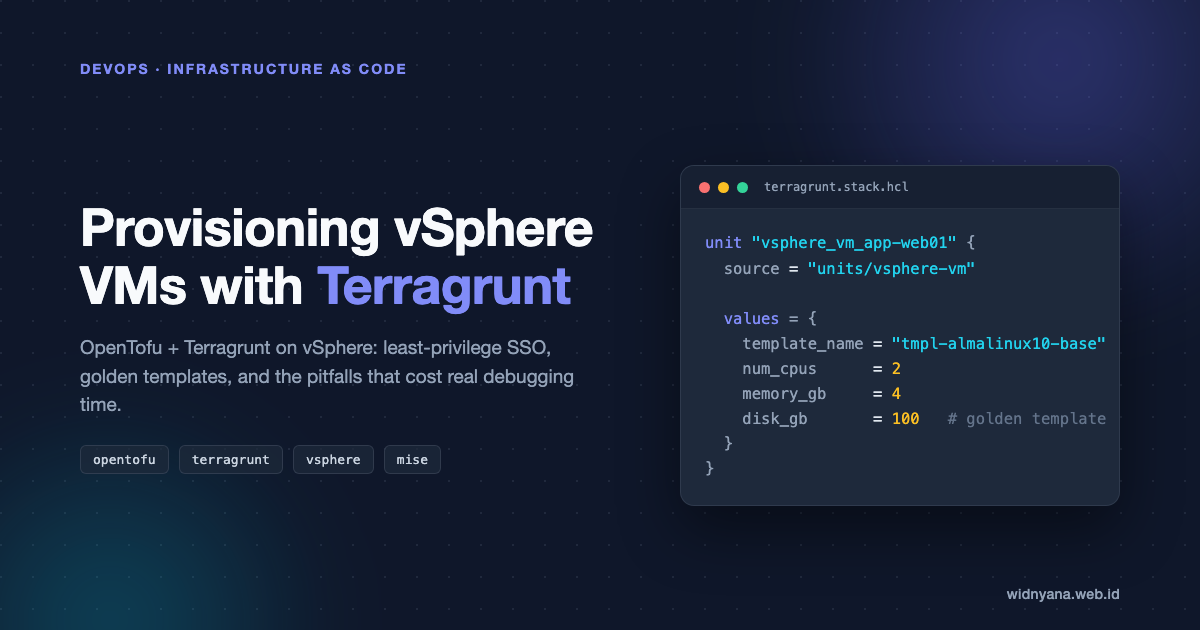
Each VM is one unit in the stack file. Note what’s not here: guest_id and scsi_type are read out of the template at plan time, never restated in values, since restating them invites drift between template and unit, which shows up as a diff in the plan:
| |
Here’s what that unit doesn’t ask you to write.
A shared root.hcl generates the provider block from the VSPHERE_* env vars. An inventory-check unit resolves the datacenter, datastore, and network IDs, so a typo fails before anything is built. State lives in a small local file per unit, outside the rendered stack directory, so regenerating never touches it. (Prefer remote state? I wrote up Backblaze B2 as a backend.)
Static IPs are the one that bites. They go through guestinfo.metadata, keyed by the literal device name (ens192), not a match: glob. Use a glob and NetworkManager quietly configures a device that doesn’t exist, then reports success.
Easy to miss: the tag taxonomy is code too. Tags live once per vCenter, not per environment, so a separate global stack owns them — it applies before any environment stack and imports whatever already exists out-of-band. (Estates with a vCenter per environment run this stack once per vCenter.)
Environment stacks then reference tags by name only; a plan referencing a tag that doesn’t exist fails fast instead of silently skipping it.
Then the loop, and this ordering is not optional:
| |
The --out-dir ./tfplan looks like a convenience and is not. Without it, each unit’s plan lands inside its own .terragrunt-stack/ directory, which the next stack generate wipes. Collecting plans under one gitignored path is what keeps the reviewed plan intact through apply: apply executes the plan you actually reviewed instead of re-planning against whatever state looks like by then.
Three rules that bite if ignored:
Regenerate between every edit and every plan.
stack generateis not automatic. Skip it and the plan happily reports diffs from two edits ago — ghost diffs that make no sense until you remember you changed the file.Verify govc discovery data before trusting it.
num_cpusandthin_provisionedcome from discovery, but govc lies by omission:eagerlyScrub: falsereads like “thin” but actually describes eager-zeroing.state showafter import is the ground truth. Put a placeholder likenum_cpus = -1and it fails loudly at plan instead of quietly creating something wrong.A missing config entry will plan a destroy. Config must describe what exists, not what should exist. A disk or NIC attached in reality but missing from your config plans a detach. When you see a
- disk {}or- network_interface {}in a plan: stop, reconcile againststate show, re-plan.
For VMs that already exist, the vsphere-vm-imported unit adopts them into state: discover the real spec with govc first, mise run tg -- import vsphere_virtual_machine.vm "/Datacenter/vm/<folder>/<name>" second, then reconcile the plan until it’s clean. Nothing on the VM’s disk is touched; the OS stays Ansible’s problem.
One habit ties the whole loop together: plan and apply are human verbs. The plan file holds rendered variable values in plaintext, the diff is the only review surface between a config mistake and a destroyed VM, and apply should execute exactly what was reviewed (the saved plan file, not a fresh plan against drifted state).
The consolidated pitfalls table
Every entry here broke a real apply. Each maps to the section above.
| Symptom | Cause | Fix |
|---|---|---|
A specified parameter was not correct: privIds | A privilege ID written from memory is wrong | Diff against govc role.ls Admin |
| Tag attach 403 despite correct root grant | AttachTag was root-scoped, but attach is checked on the VM’s own tree | Move AttachTag+ObjectAttachable to the datacenter role |
queryAssociatedProfile NoPermission on import | PBM authorizes at vCenter root, not on the object | Root role with StorageProfile.View assigned unpropagated at / |
| Permission silently vanished after adding a role | Second permissions.set on same (principal, object) replaced the first | Merge into one role |
| Whole inventory readable by terraform user | Role propagated from root | Root assignment with -propagate=false |
| Plan says the VM must be replaced | Template firmware/secure-boot/thin mismatch | Rebuild the template; the fields aren’t per-VM settable |
| Clone boots with template’s hostname, no IP | cloud-init never read guestinfo | open-vm-tools + datasource pin, both in the template |
| Filesystem stayed 38 GB on a 100 GB disk | growpart missing, or root not last on disk | cloud-utils-growpart in template; no swap partition after root |
| Plan diff makes no sense | Skipped stack generate after an edit | Regenerate before plan. Every time |
| Apply executed something you didn’t review | Plan saved inside .terragrunt-stack/, wiped by the next generate | Always --out-dir ./tfplan |
No value for required variable on units you didn’t touch | Terragrunt discovery walked the whole repo from the wrong cwd | Run from the env directory; scope with --queue-include-dir |
| Plan fails on a tag that obviously exists | Tag taxonomy owned by another stack, not yet applied/imported | Apply the global tags stack first, import pre-existing categories |
| Clone boots with the right hostname and no address, cloud-init says done | Network config keyed by a match: glob the renderer doesn’t resolve | Key network config by the literal interface name (ens192) |
| Template not found on plan in a multi-datacenter estate | Templates aren’t visible across datacenters or vCenters | One template per datacenter, or a Content Library |
| Plan wants to remove a disk/NIC | Config doesn’t describe reality | Stop, reconcile against state show |
| Role privileges vanished after an update | role.update without -a replaced the set | Always -a for appends |
FAQ
Can Terragrunt clone VMs on vSphere?
Yes — the cloning itself is done by OpenTofu’s vsphere provider (vsphere_virtual_machine), which clones from a template. Terragrunt layers on top: per-environment values, a shared root.hcl, and stack files that render one unit per VM. See the Terragrunt stack.
What privileges does the vsphere provider need?
Fewer than you’d guess, if you split them correctly: a datacenter-scoped role covering VM lifecycle and tag attach, plus a root-scoped, unpropagated role for tag/category definition and storage-policy read. Details in the permission model, and don’t skip the negative tests.
Why does the plan force-replace my cloned VM?
Almost always a mismatch between the unit config and the template on firmware, efi_secure_boot_enabled, or disk_thin_provisioned — fields that aren’t per-VM settable. guest_id and scsi_type must be read from the template, never restated. Full table in six fields decide everything.
Why doesn’t the cloned VM get an IP or hostname?
cloud-init never read guestinfo: either open-vm-tools isn’t installed in the template, or the datasource isn’t pinned to VMware and it probes for EC2. Pin it with a 99-vmware-datasource.cfg and key network config by the literal interface name (ens192), not a match: glob.
Terragrunt or plain Terraform/OpenTofu for vSphere?
Same provider either way — Terragrunt adds reusable units, environment separation, and a render-once stack file, which pays off once you’re cloning more than a handful of VMs across environments. Plain OpenTofu is fine for a single environment.
Wrapping up
The permission model is the unglamorous half of this setup and the half that matters. Anyone can point OpenTofu at vCenter; the difference between a working estate and a 3am page is whether the credentials in your CI runner can only do what the pipeline needs, and whether you proved that with negative tests before trusting it.
Start small: one user, two roles, one template, one unit. Grow the stack file from there.
Questions or corrections? find me.