Upgrade Authority: From Keypair to Immutable

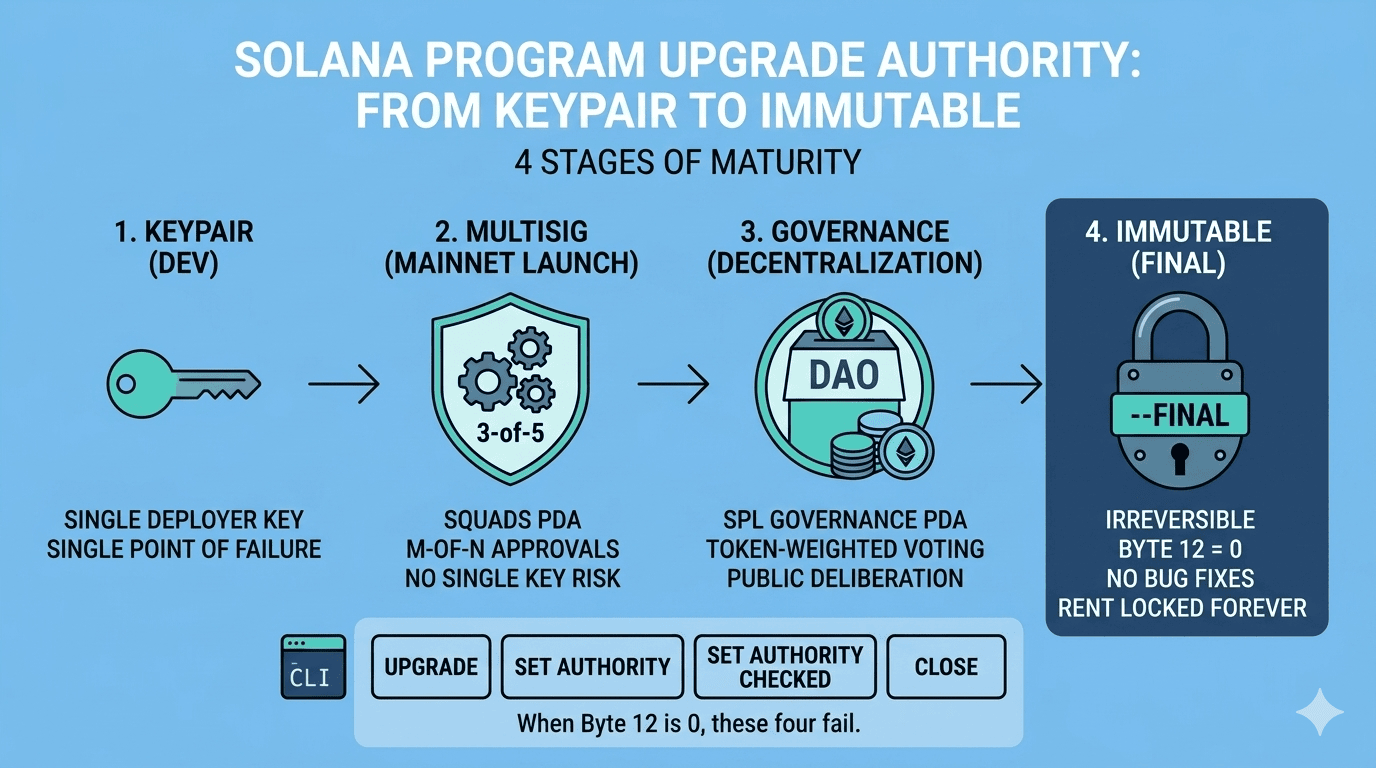
This is Part 5 of the Solana Program Lifecycle series. In Part 4 we walked through the deploy and upgrade flows: the Buffer account, the chunked writes, and the activation step that copies bytecode into the ProgramData account. Every upgrade instruction checks one thing before it proceeds: who is allowed to do this. That one thing is the upgrade_authority_address field: 33 bytes in the ProgramData account that control who can replace the program’s bytecode. This post traces the full lifecycle of that field, from the keypair that deployed the program to the irreversible --final flag that writes None and freezes the program forever. ...

May 5, 2026 · 11 min · widnyana

Deploy, Upgrade, and the Buffer Account Pattern

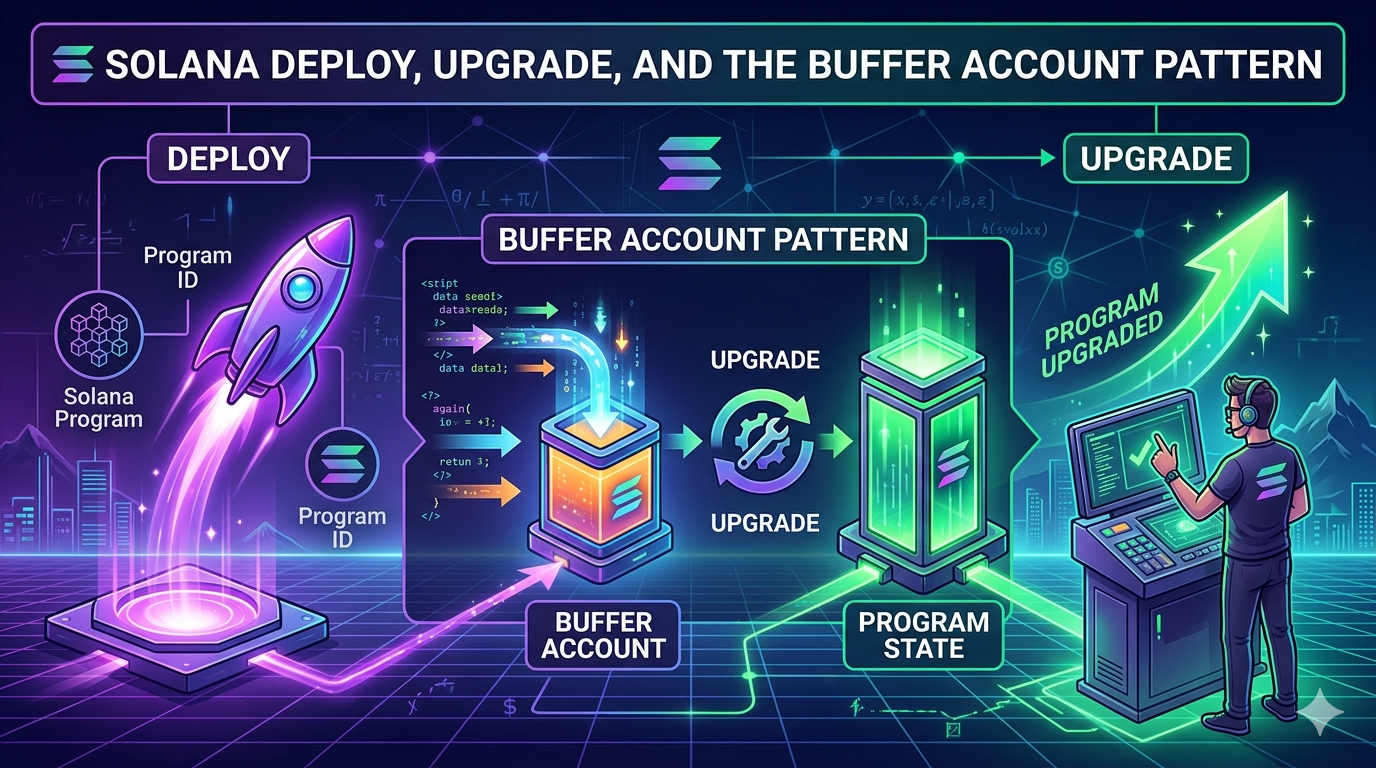
This is Part 4 of the Solana Program Lifecycle series. In Part 3 we saw that a program is two accounts: a 36-byte Program Account that points to a ProgramData Account holding the actual bytecode. Now we look at how those two accounts get created and replaced. The short version: there is a third account involved. A temporary one. It exists only during the deploy or upgrade, and if anything goes wrong, it can sit on chain holding your SOL until you reclaim it. ...

May 2, 2026 · 13 min · widnyana

How Solana Programs Actually Live Onchain: The Two-Account Model

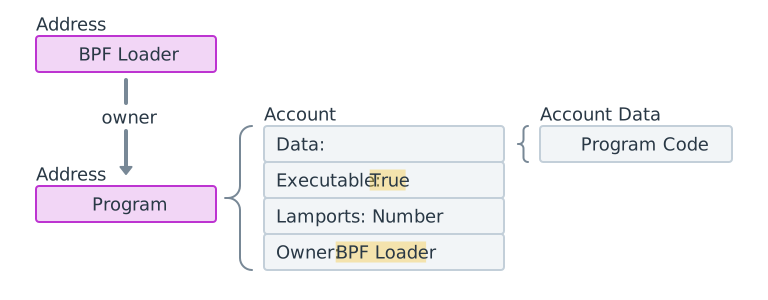
This is Part 3 of the Solana Program Lifecycle series. In Part 1 we covered the account model. In Part 2 we covered compute units. Now let’s look at something most developers never think about until something breaks: how programs actually live onchain. Because here’s the thing: a Solana program isn’t one account. It’s two. And the relationship between them is what makes upgrades possible without breaking everything that depends on the program. ...

April 25, 2026 · 9 min · widnyana

Solana Compute Units: What You Pay to Run Code

This is Part 2 of the Solana Program Lifecycle series. In Part 1 we covered how accounts work. Now comes the thing that will break our code if we ignore it: compute units. Solana transactions don’t warn you when you’re close to the compute limit. They just fail. Users lose the fees. No refund. The first time many developers discover this is when mainnet starts rejecting transactions that worked fine on devnet. ...

April 21, 2026 · 10 min · widnyana

Solana Accounts, Storage, and Rent: How Solana Remembers Things

This is Part 1 of the Solana Program Lifecycle series. If you’re new to Solana development, start here. These concepts come up in everything you’ll build. 1. The Account Model Everything on Solana is an account. Programs, user data, tokens, even the ledger state, all stored in accounts. There’s no database engine, no relational tables. Just accounts in a flat key-value map where each key is a 32-byte address and each value is an account. ...

April 18, 2026 · 8 min · widnyana
sui-devtools

Install Sui Devtool

1. Introduction Sui is a Layer-1 blockchain that uses an object-centric model to process transactions in parallel, enabling high throughput and instant finality while providing native primitives for building decentralized applications. Developers choose Sui for several compelling reasons: Parallel execution - Transactions don’t wait in a single-file line, resulting in faster confirmation times Consumer-ready features - zkLogin (sign in with Google/Apple) and zkSend (share crypto via link) lower barriers to entry Move programming language - A secure, resource-oriented language designed specifically for blockchain development Built for scale - Optimized for data-heavy applications like gaming, NFTs, DeFi, and social apps This guide walks you through setting up the complete Sui development environment on your local machine. By the end, you’ll have the Sui CLI installed, a local network running, and the essential developer tools configured to start building Move smart contracts and decentralized applications on Sui. ...

October 20, 2025 · 8 min · widnyana
wireless

Connect WiFi without GUI on Debian Linux

Install Required Tools 1 2 3 4 apt install \ wpasupplicant \ wireless-tools \ --no-install-recommends Identify your wireless interface First, let’s figure out your wireless interface name using 1 ip link You’ll see output like this: 1 2 3 4 5 6 7 1: lo: <LOOPBACK,UP,LOWER_UP> mtu 65536 qdisc noqueue state UNKNOWN mode DEFAULT group default qlen 1000 link/loopback 00:00:00:00:00:00 brd 00:00:00:00:00:00 2: eno1: <BROADCAST,MULTICAST,UP,LOWER_UP> mtu 1500 qdisc pfifo_fast master vmbr0 state UP mode DEFAULT group default qlen 1000 link/ether 98:fa:9b:31:a4:h6 brd ff:ff:ff:ff:ff:ff altname enp0s31f6 3: wlp2s0: <BROADCAST,MULTICAST> mtu 1500 qdisc noop state DOWN mode DEFAULT group default qlen 1000 link/ether d0:ab:d5:11:4r:5c brd ff:ff:ff:ff:ff:ff Look for the line that starts with something like wl???? — that’s your wireless interface. In this example, it’s wlp2s0. Make a note of it, you’ll use it in the next steps. ...

April 13, 2025 · 2 min · widnyana

The Curse of Intel E1000e

Understanding and Solving Intel E1000e Driver Issues Intel’s E1000e network driver has plagued Linux users for years, causing frustrating network connectivity issues, hardware unit hangs, and system instability. If you’ve encountered the dreaded “Hardware Unit Hang” error on your server or desktop, you’re not alone. This post will help you understand these issues and provide practical solutions to resolve them. Common E1000e Issues and Error Messages The E1000e driver issues typically manifest as: ...

April 4, 2025 · 4 min · widnyana

Monitoring Stack With Mikrotik Included

This project automates setting up a complete monitoring stack with just a few commands. Why Monitor MikroTik? MikroTik routers are critical network components. Monitoring them helps you: Catch network issues before users complain Track bandwidth usage and identify bottlenecks Monitor CPU and memory load for capacity planning Get alerts when devices go down or perform poorly Analyze long-term network trends for better decision making Smart Database Choice I use PostgreSQL instead of the default SQLite because: ...

January 22, 2025 · 2 min · widnyana

Opentofu Backblaze Backend

Using Backblaze B2 as State Storage for OpenTofu Infrastructure as Code (IaC) tools like OpenTofu rely on state files to keep track of the resources they manage. This state file is critical—it’s how OpenTofu knows what’s already been deployed, updated, or destroyed. If you’re looking for a cost-effective, reliable, and scalable storage solution for your state files, Backblaze B2 is an excellent choice. The good news? Configuring OpenTofu to use Backblaze B2 is a breeze! It’s almost identical to setting up Amazon S3 as the backend, with just a tiny tweak. Let’s walk through it. ...

January 20, 2025 · 3 min · widnyana